 Asal Ku
Keep your family's story together.
Asal Ku is a private family tree you build with the people who know it best: photos, dates and marriages, and a clear view of who is who across every generation. Say a name instead of typing it, share a tree with a scan, and connect your tree to your relatives' trees into one forest.
We are still building. Leave your email and we will write to you once, when it opens. Nothing else.
Made for the way families really are
A look at the app. Everything below is Asal Ku as it runs today, shown with a made-up family.
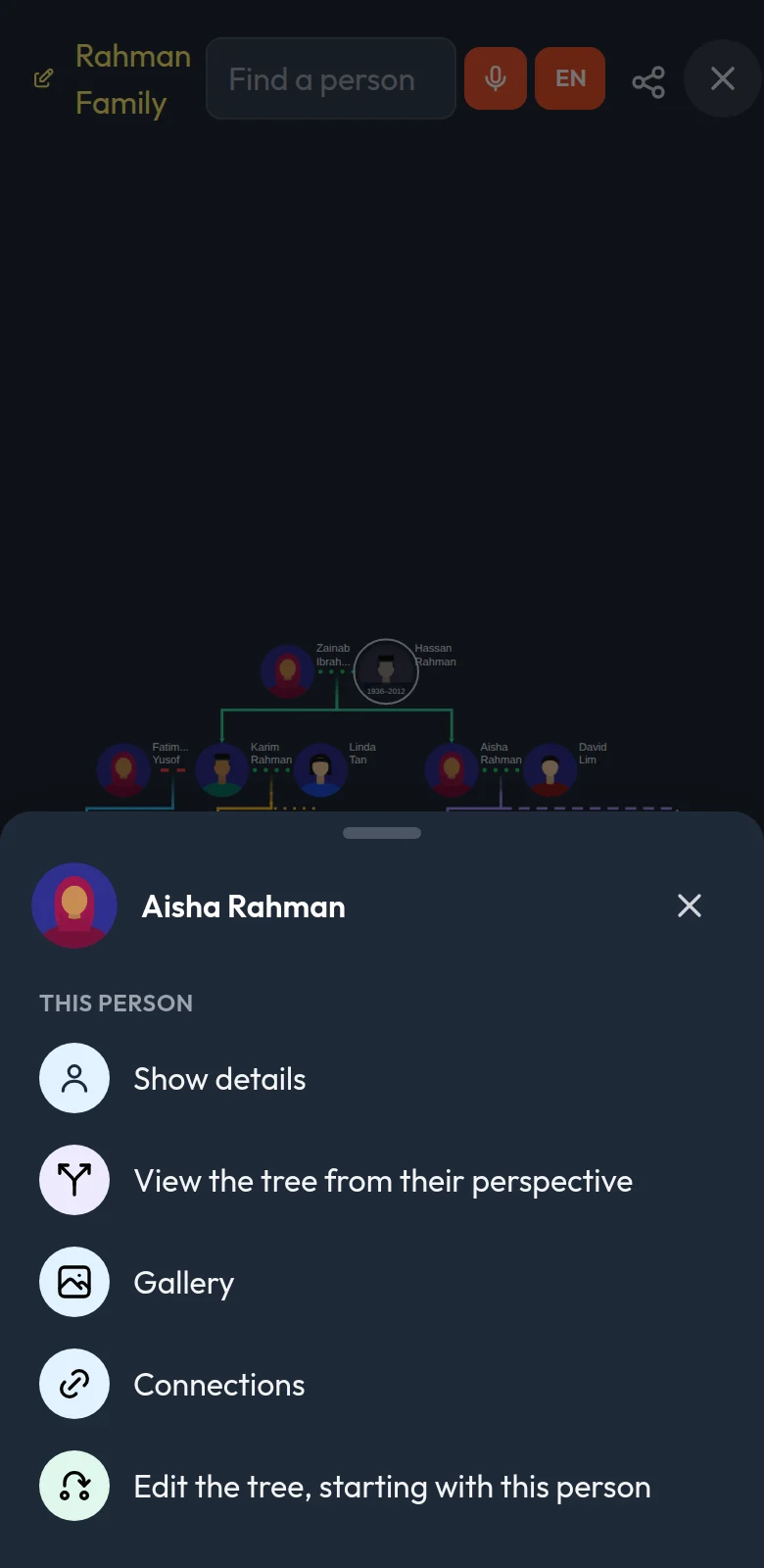
See your whole family at a glance
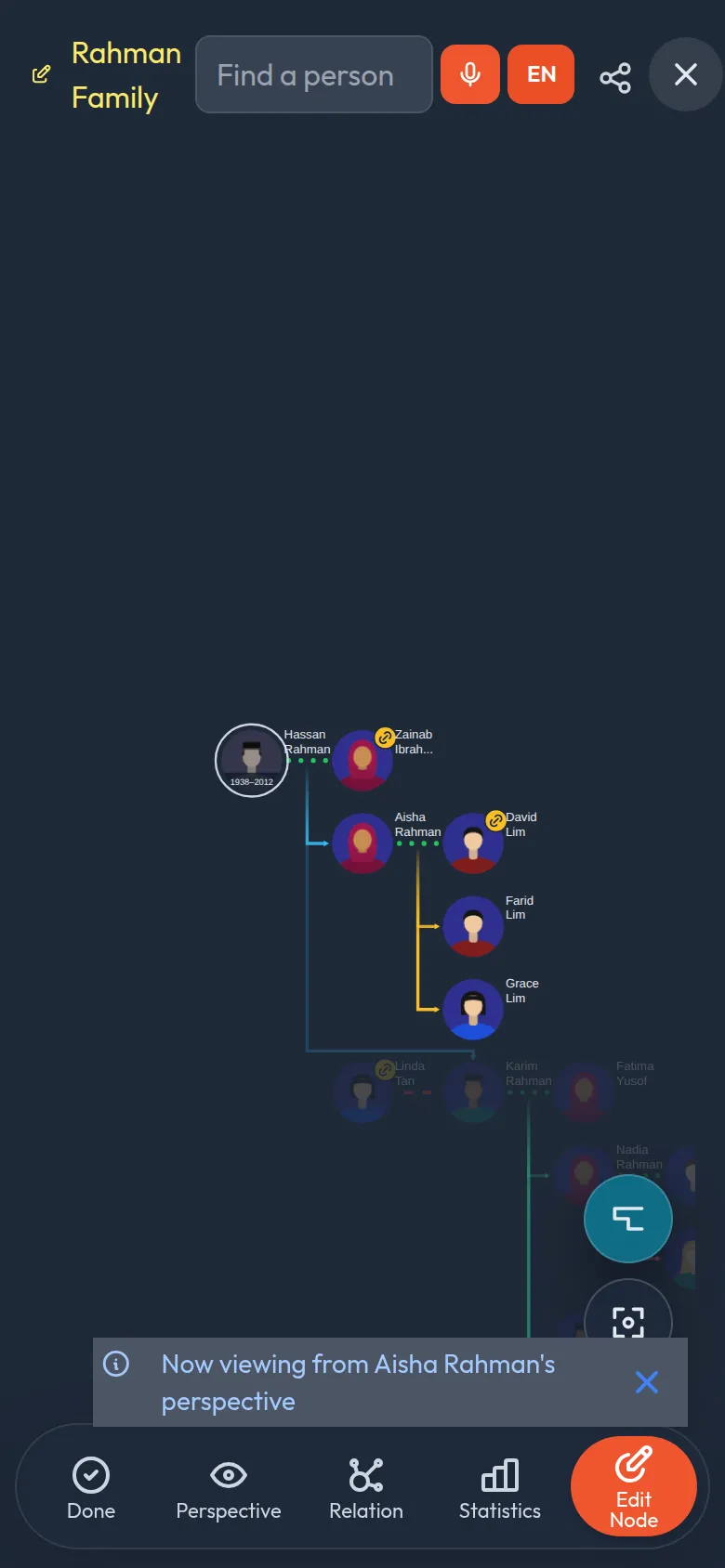
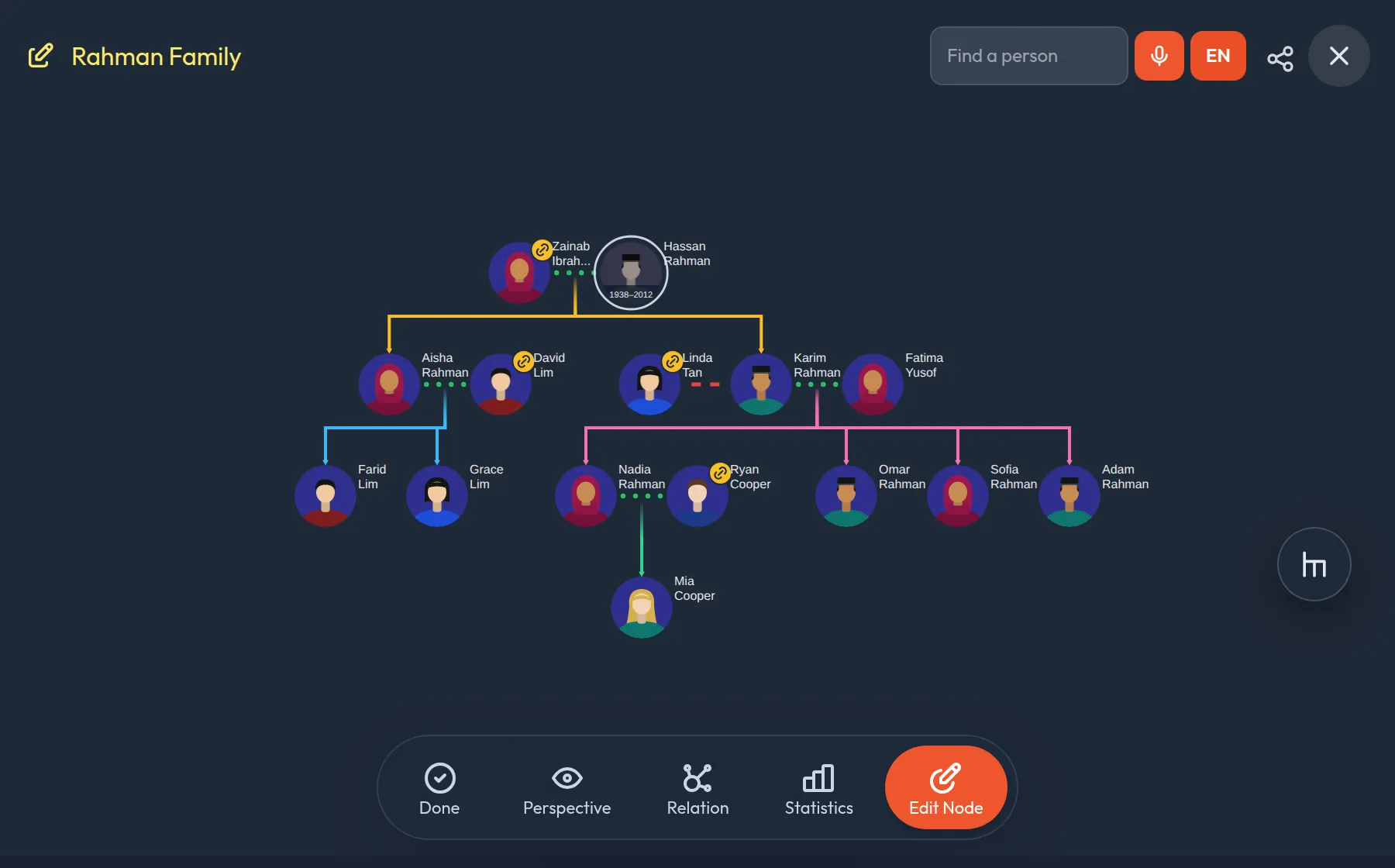
Add people and the tree arranges itself: couples, children, siblings, even several marriages. It fits any phone screen.
- Every kind of belonging. Birth, foster, adopted and step children each get their own line style.
- Marriages and remarriages with dates and status: married, divorced.
- Press and hold anyone for quick actions, or see the whole tree from their point of view.
Your trees, shared trees and favourites in their own tabs
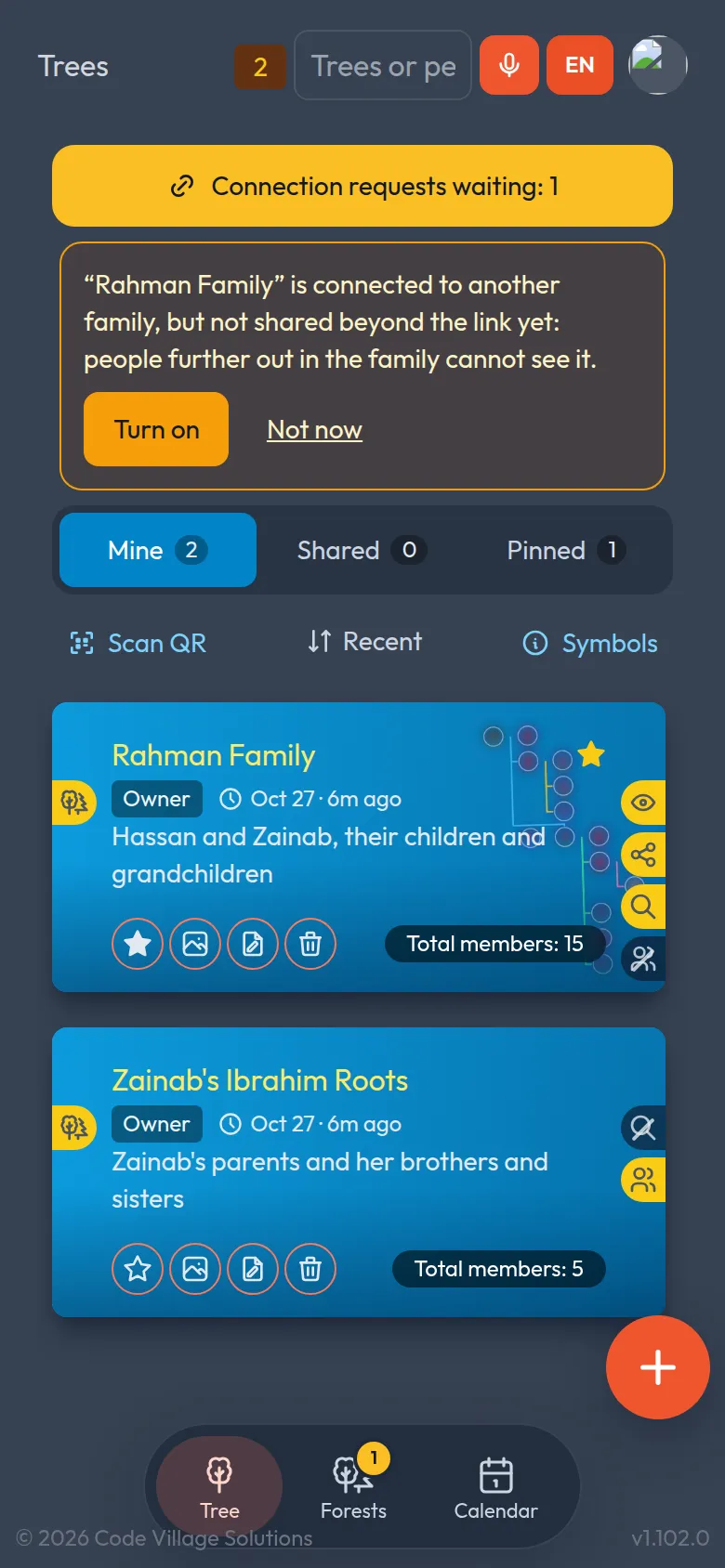
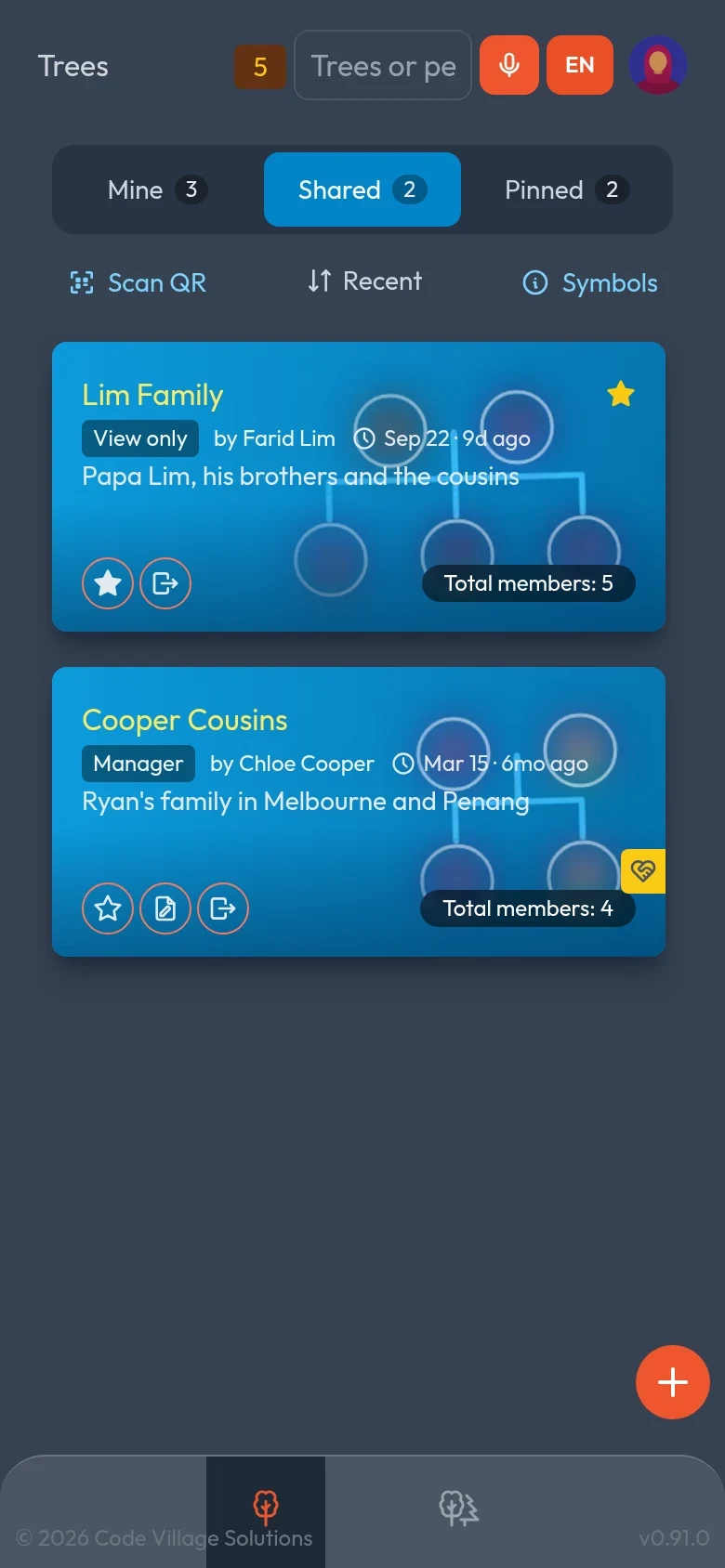
Families are rarely one tree. Asal Ku keeps the ones you made apart from the ones relatives shared with you, so nothing gets lost as the list grows.
- Mine, Shared, Pinned. Pin the trees you open most; the rest are sorted by what you opened last, or A to Z.
- Know who and when. Every card shows who owns it, your role (owner, manager, view only) and when it last changed, like “2h ago”.
- New and updated badges tell you when a relative has changed a tree since you last looked.
- Tidy up in one tap. Remove a shared tree from your list; the tree itself is never touched.
Find anyone, even if you can't spell the name
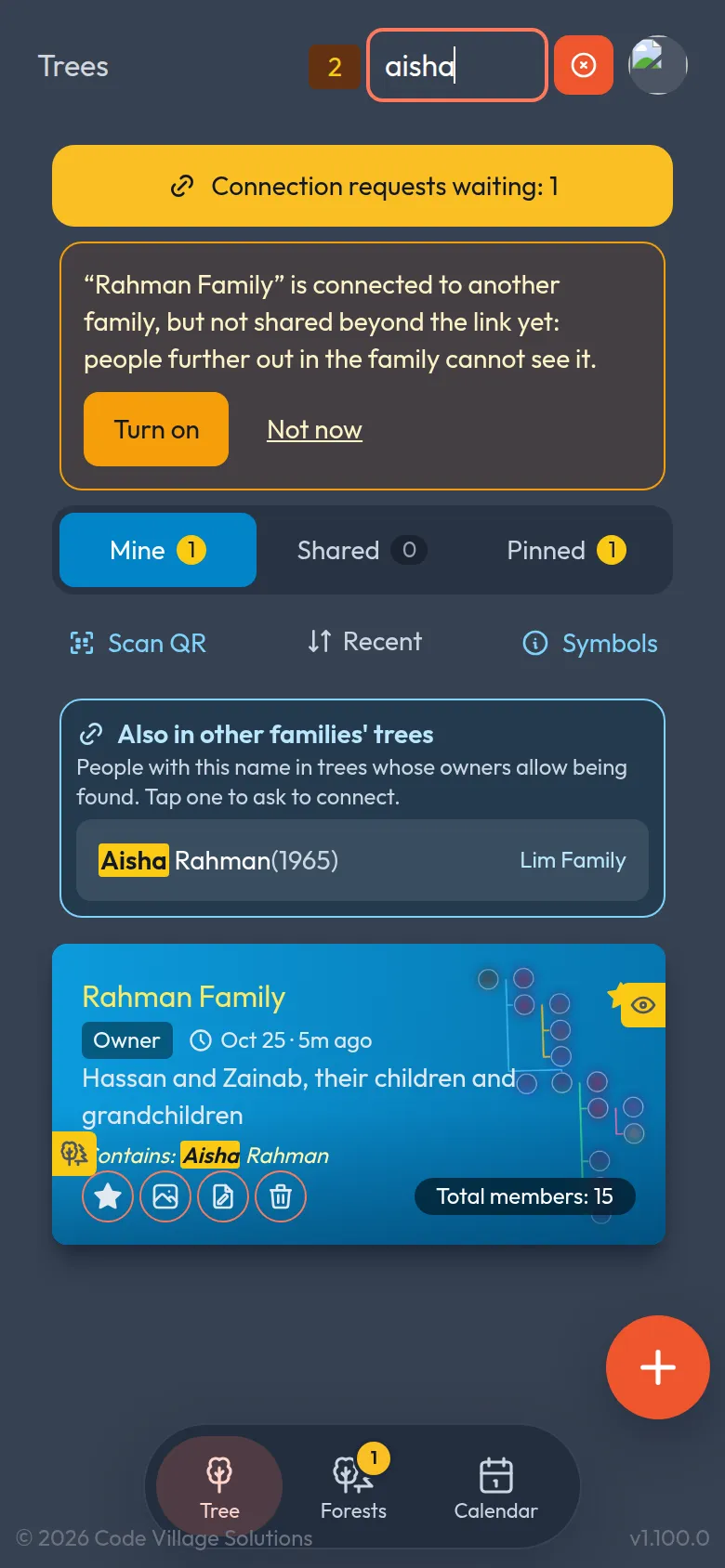
Type “aysha” and find Aisha, or “Penang” and find who lives there. Search looks inside every tree at once, at names, nicknames, dates and the details you have written, and forgives spelling and names that only sound alike.
- Counts on every tab. See at once how many matches are in your trees, the shared ones and the pinned ones.
- Search by voice when your hands are full or the name is long.
Just say it
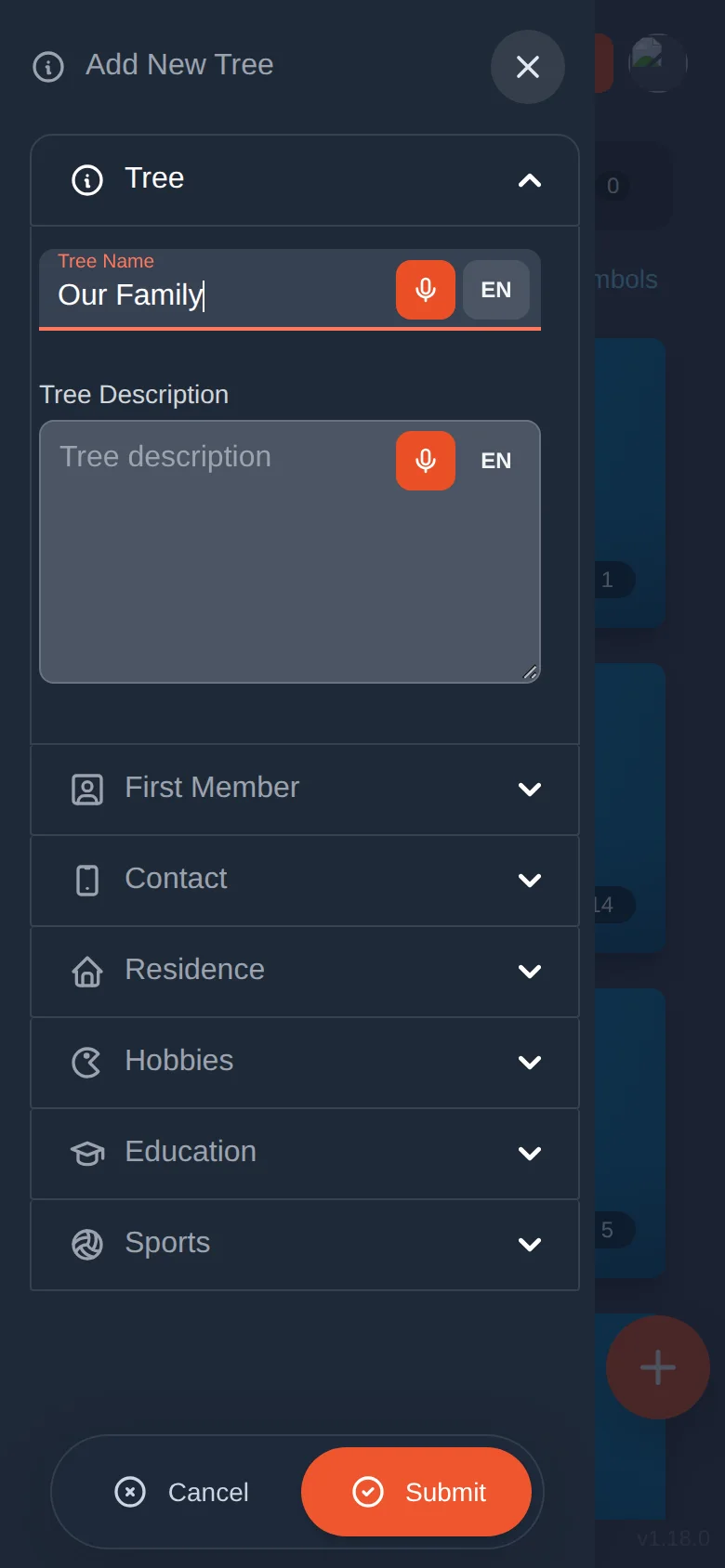
Every text box has a microphone. Dictate names, descriptions and notes instead of typing on a small keyboard.
- Pick the language you are speaking right next to the microphone. Malay names, English notes: whatever your family speaks.
- Names come out properly capitalised, with other guesses offered if it misheard.
- Or pick someone from your phone's contacts (on supported phones).
Share a tree with a scan
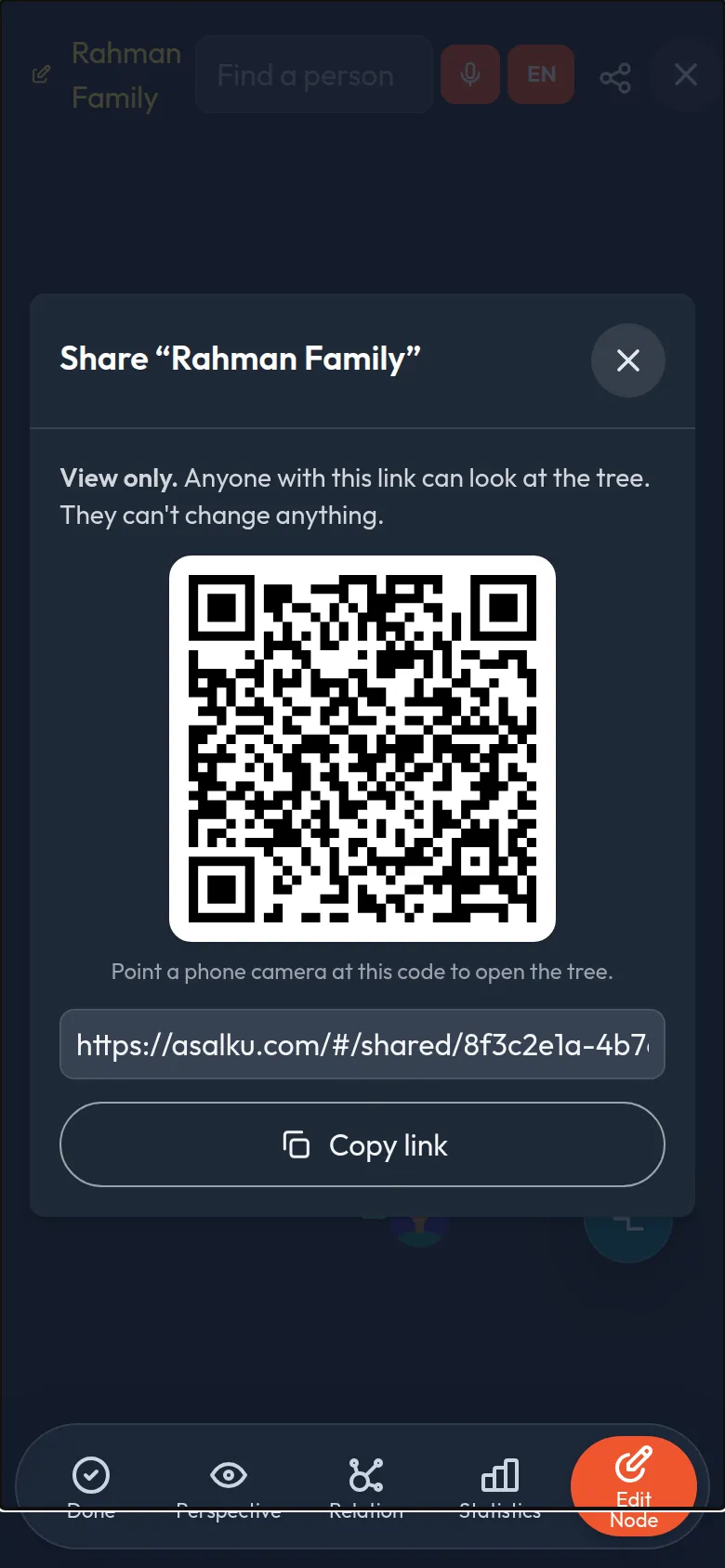
Show a QR code and a relative's phone camera opens the tree. No account details to type, no photos of screens.
- You choose the access. View only, or let a trusted relative help you build and edit.
- Send it your way: the QR code, a copy-able link, or straight to WhatsApp and Messages.
- Scan from inside the app to open a tree someone shows you.
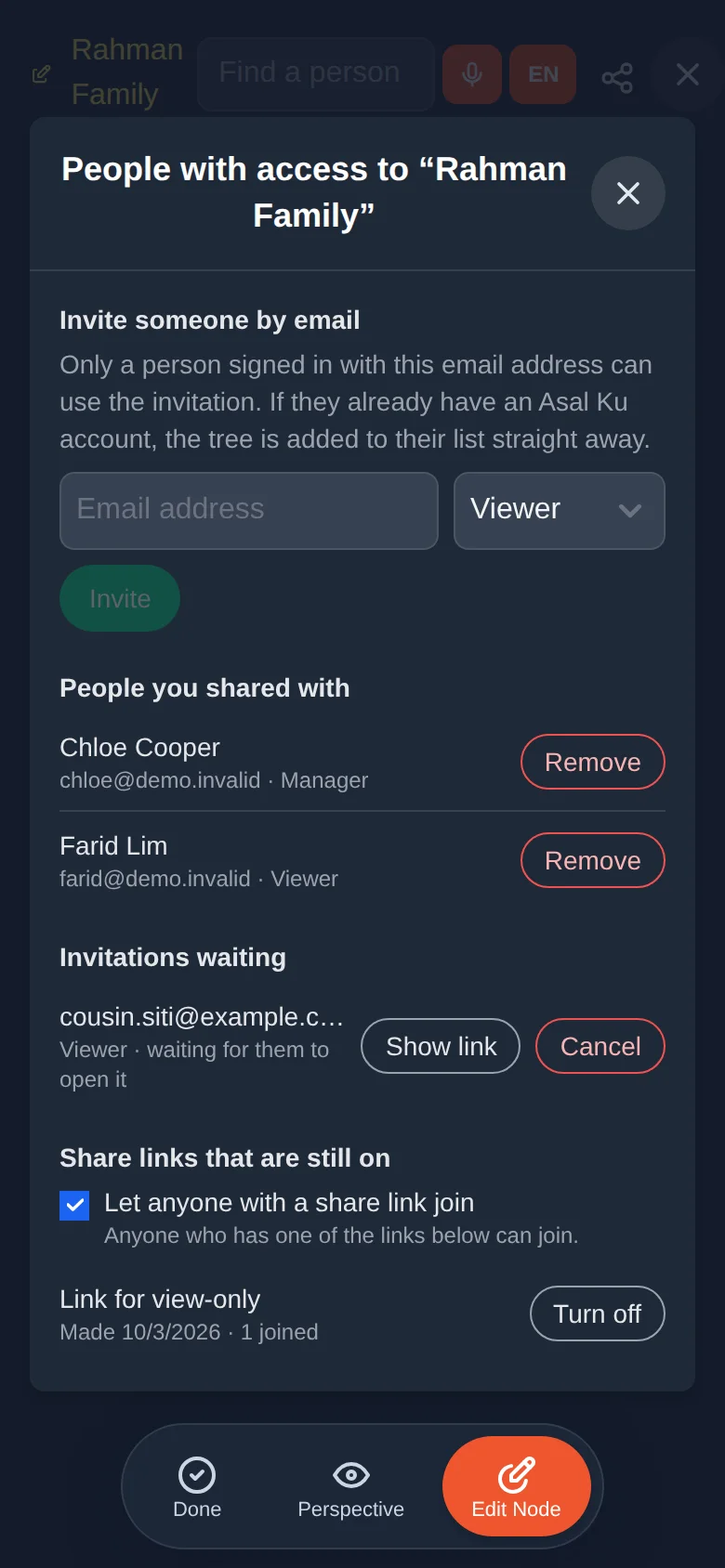
Invite people by email, and take access back whenever you like
A share link works for anyone who has it. When you want something more private, invite a named person instead, the way you would in a shared document. And if a link ends up in the wrong hands, you can remove people or switch it off.
- Invite by email. Only someone signed in with that address can use the invitation. If they already have an account, the tree appears on their Shared tab at once.
- See everyone who has access. Viewers, managers and open invitations in one list, with a Remove button beside each.
- Switch links off. Turn a single link off, or pause every share link so that only invited people can join.
- Told at once. Someone you remove is told straight away, and the tree leaves their list.
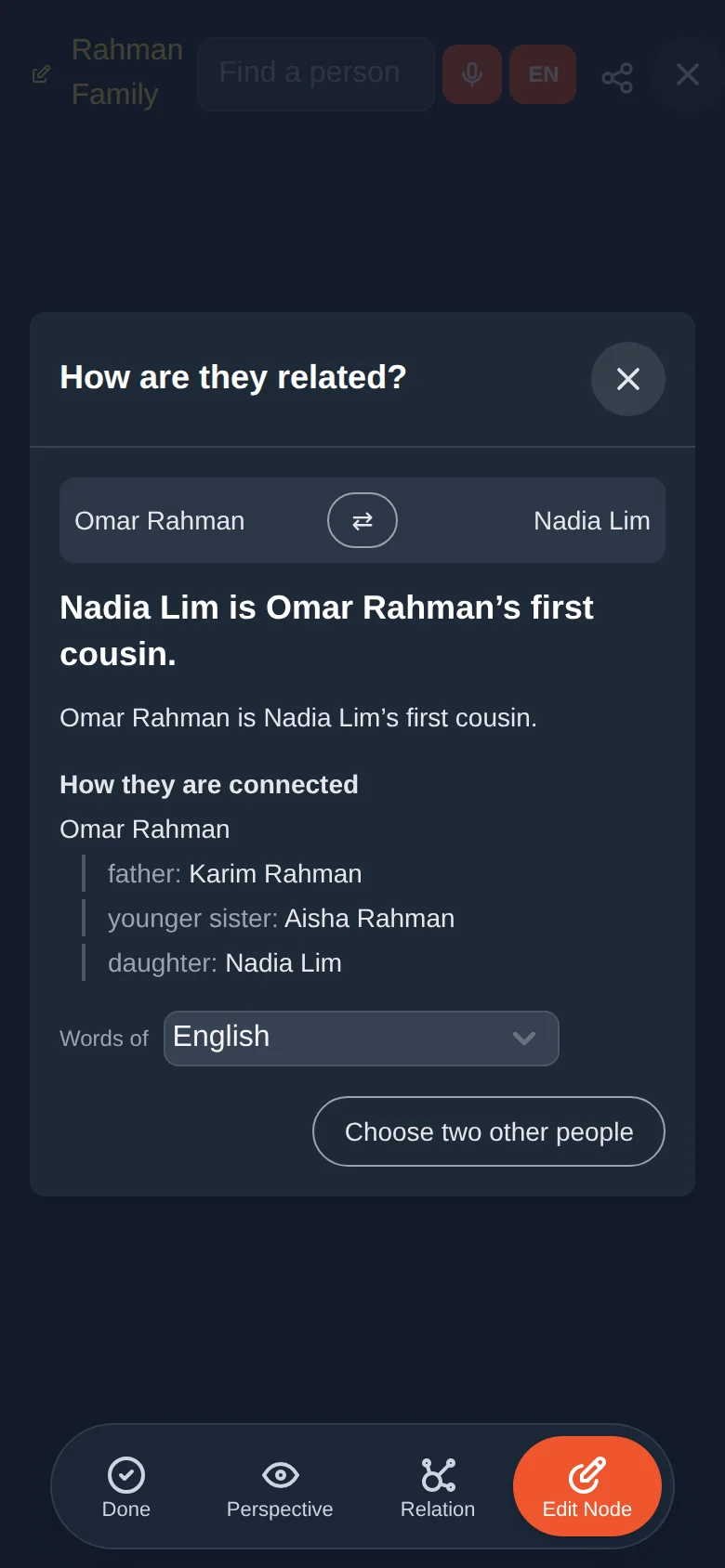
Ask how any two people are related, in your family's own words
Tap one person, then another, and Asal Ku names the relationship the way your language and culture does. It works across a tree and across a whole forest.
- Words that fit your culture. Father's side and mother's side, older and younger, cross and parallel cousins: Chinese, Tamil, Thai, Malay, Indonesian and Filipino each have their own.
- Both directions. Aunt and nephew, grandfather and grandson: you see what each is to the other, and the steps between them.
- Read it in another language. A family with grandparents and grandchildren who speak differently can switch the words with one tap.
- Careful with the details. Step, half, adopted and foster relatives, and former spouses, get their own words.
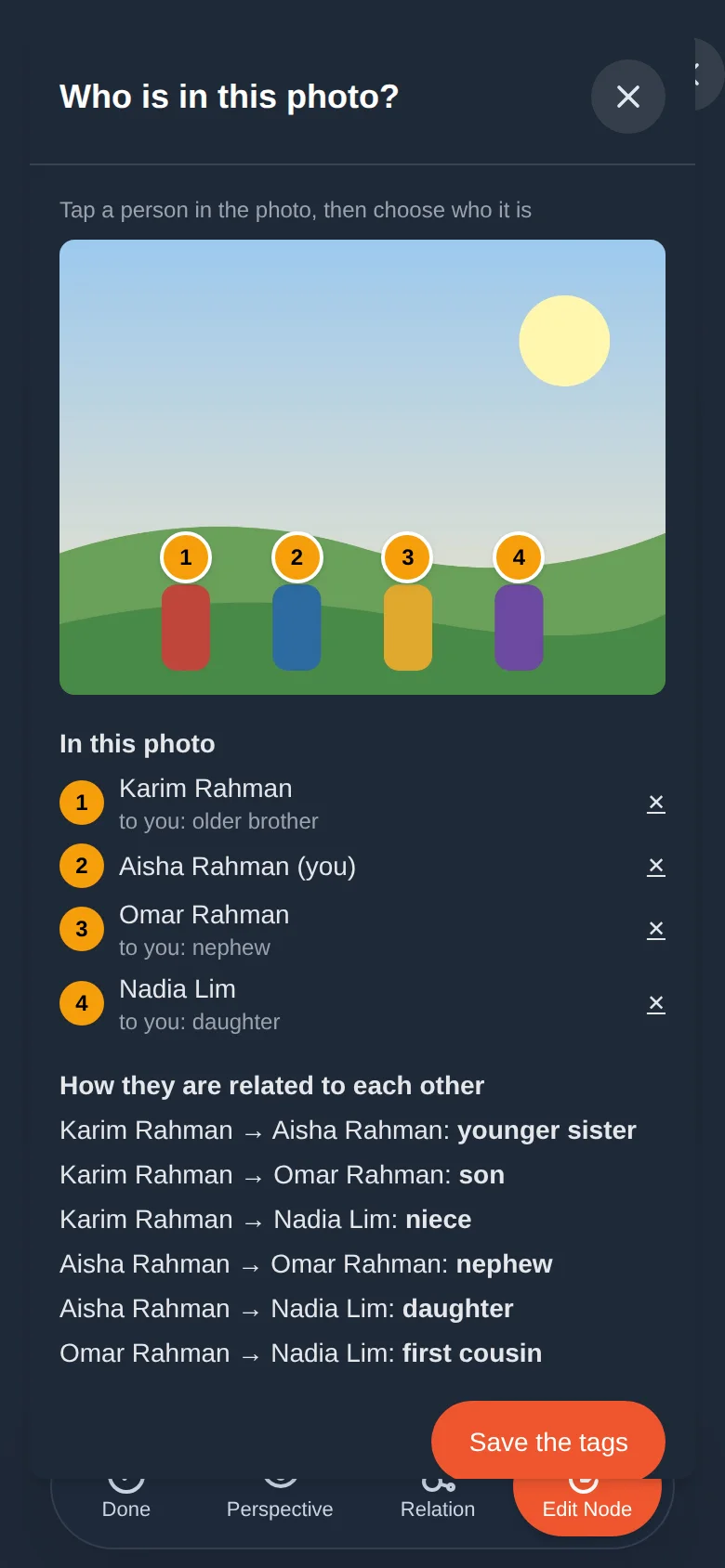
Tag who is in a photo, and see how everyone is related to you
Mark which person is you, then tap the people in a picture to say who they are. Asal Ku shows how each one is related to you and to each other, and saves the tags so a person's gallery can show every photo they appear in.
- You decide who is who. Your phone can outline the people in a photo, but nobody is recognised: no face data is ever created.
- Take a photo or use one from a gallery. Ask the question without saving anything, or keep the photo with its tags.
- Private by design. The photo stays on your phone while people are outlined, “This is me” is only visible to you, and you agree to a few simple rules before adding information about people.
- Find everyone's photos. A group picture shows up in the gallery of every person tagged in it.
Connect your tree to your relatives' trees
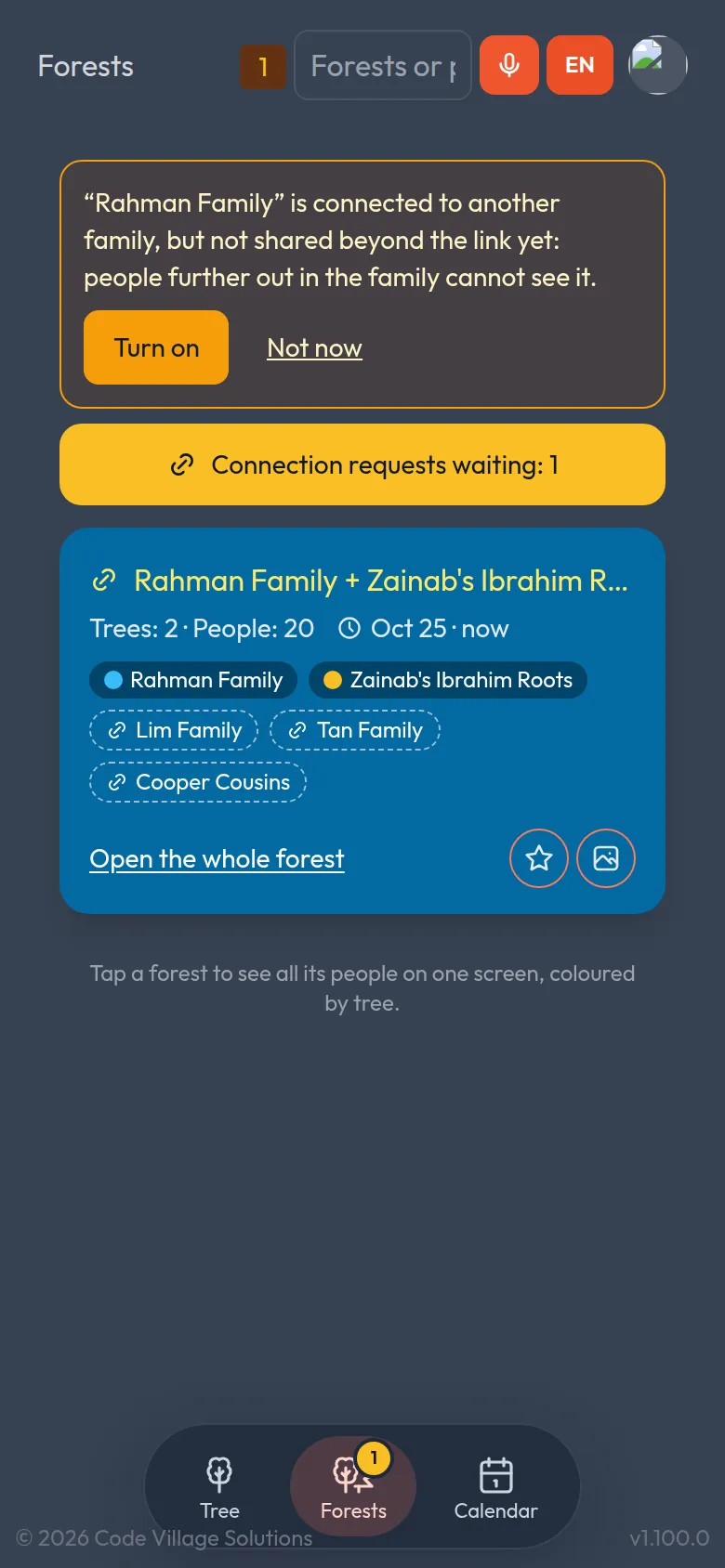
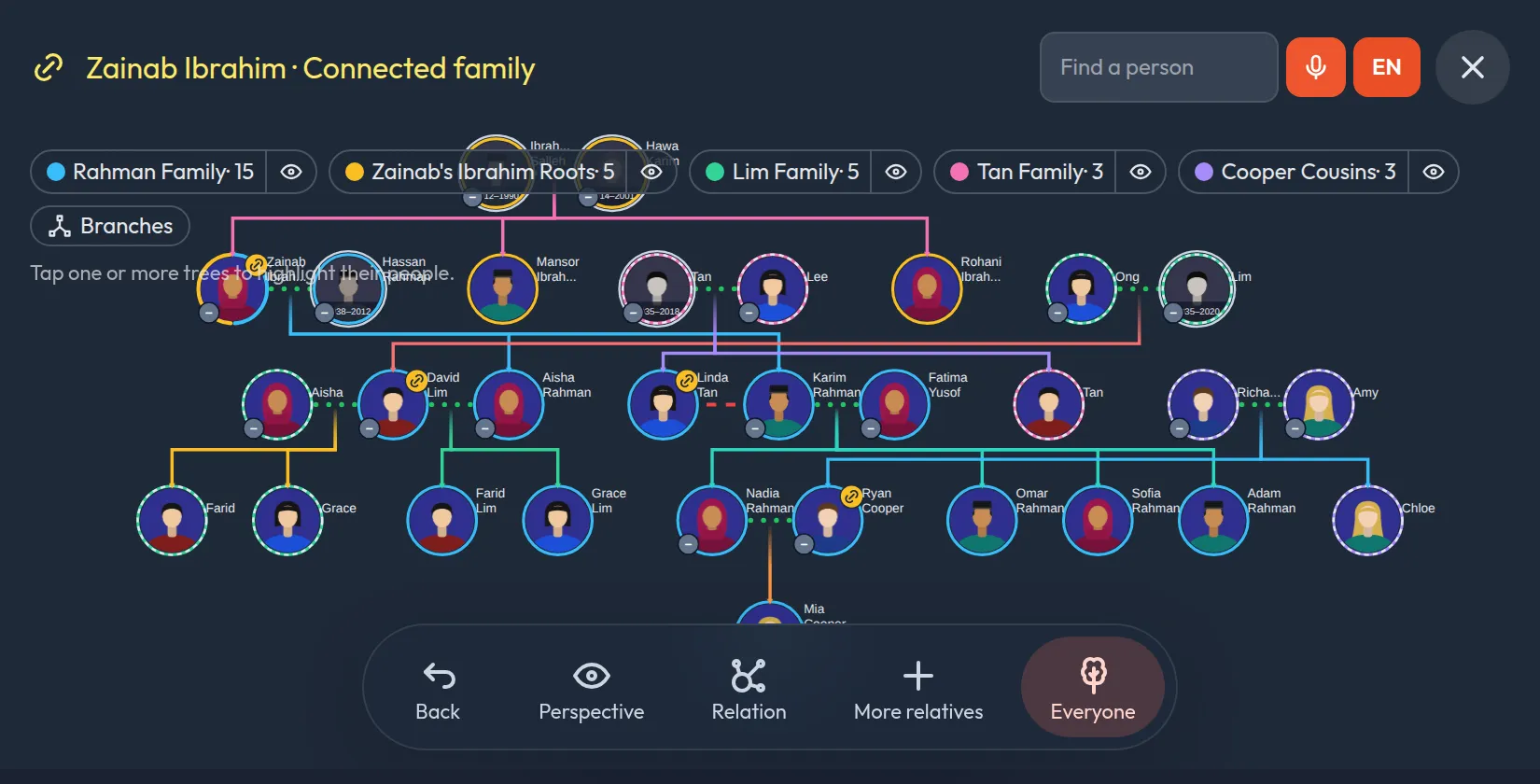
Your cousin keeps her own tree, and so does your uncle. When the same person is in two trees, connect them. The trees join into a forest, and the new Forests tab lists every one you belong to.
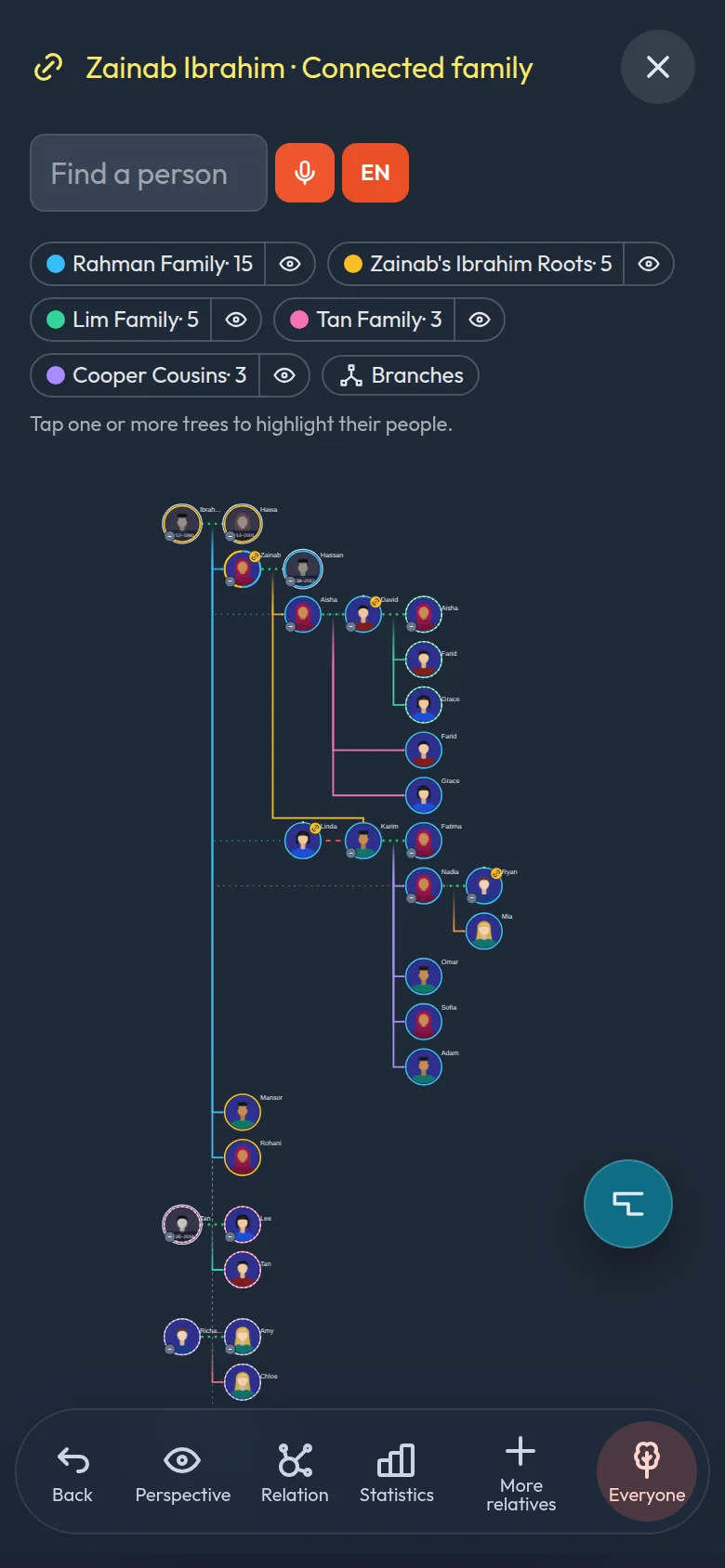
- The whole forest on one screen. A person who is in two trees appears once, with relatives from both.
- A colour for every tree. Each person has a ring in their tree's colour. People in several trees get a ring split into arcs. Tap a tree in the legend to light up its people.
- Nothing is changed. A connection only joins what you see. Every family keeps its own tree, and each side chooses which parents to show if the trees disagree.
You decide what other families see
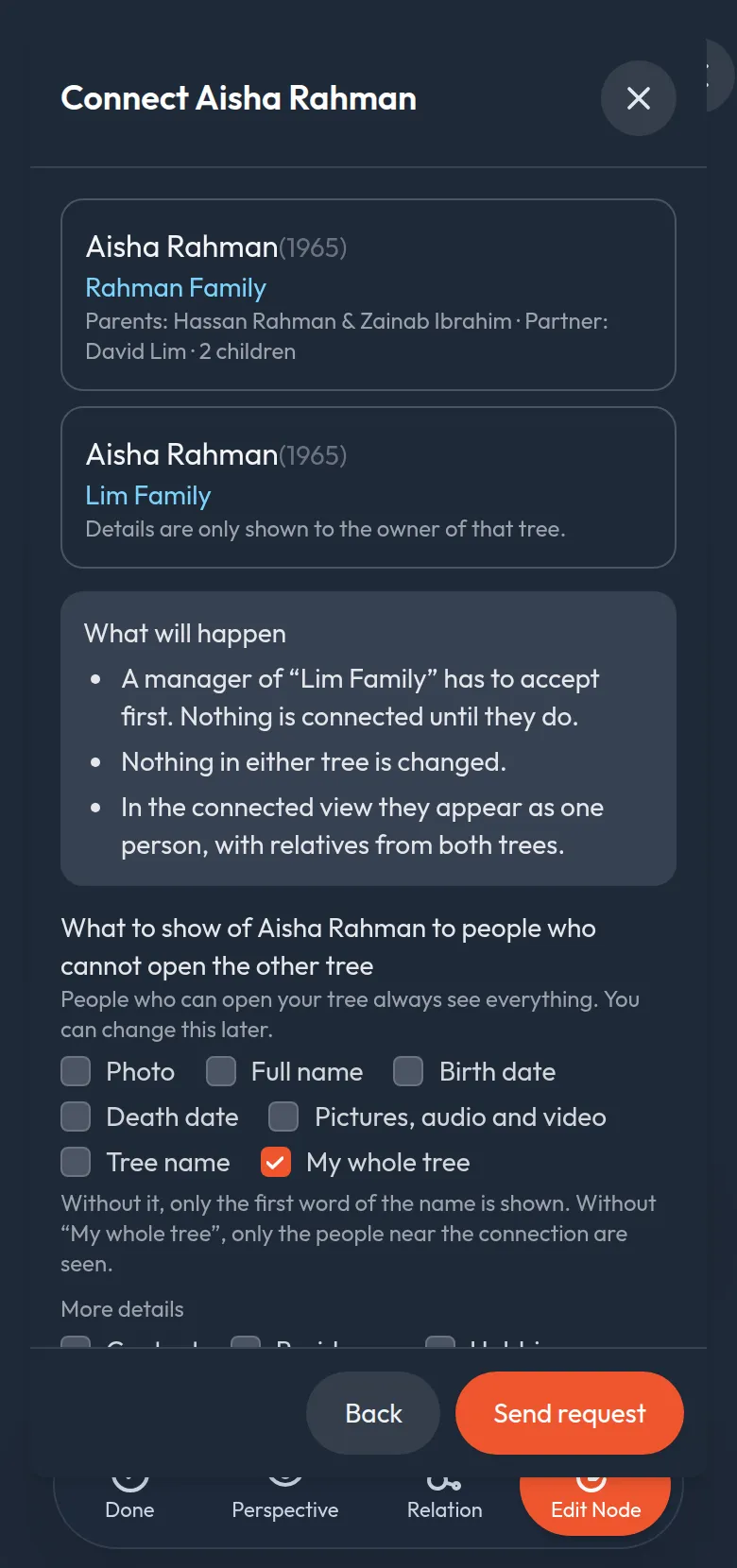
Connecting with another family is a request they can accept or decline. For every connection, each side chooses what the other family's viewers can see of its person.
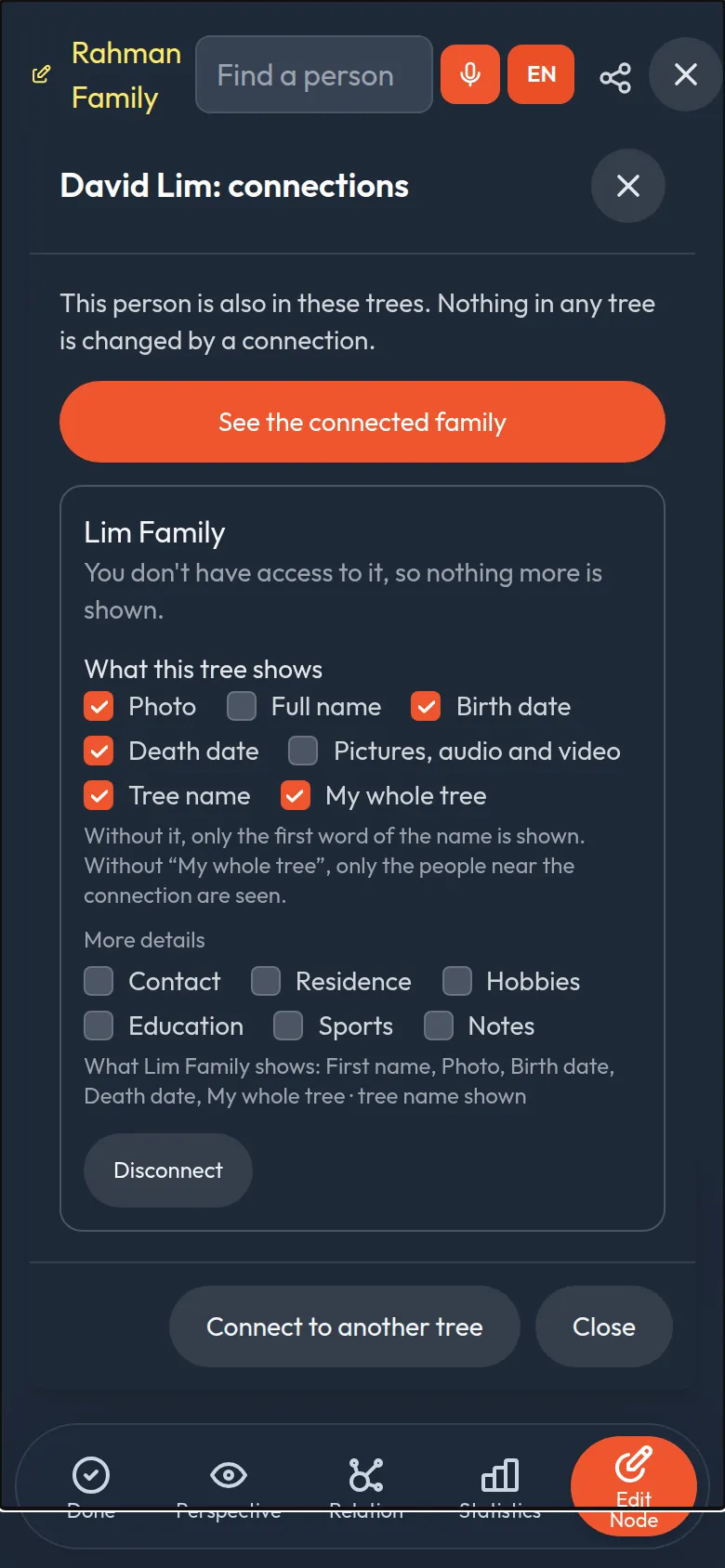
- Pick the details. Photo, full name, birth and death dates, the pictures, audio and video in their gallery, and groups of details like contact, residence, hobbies, education and sports. Tick only what you are happy to show; without “Full name” only the first word of the name is shown, and the tree's name stays hidden unless you tick it.
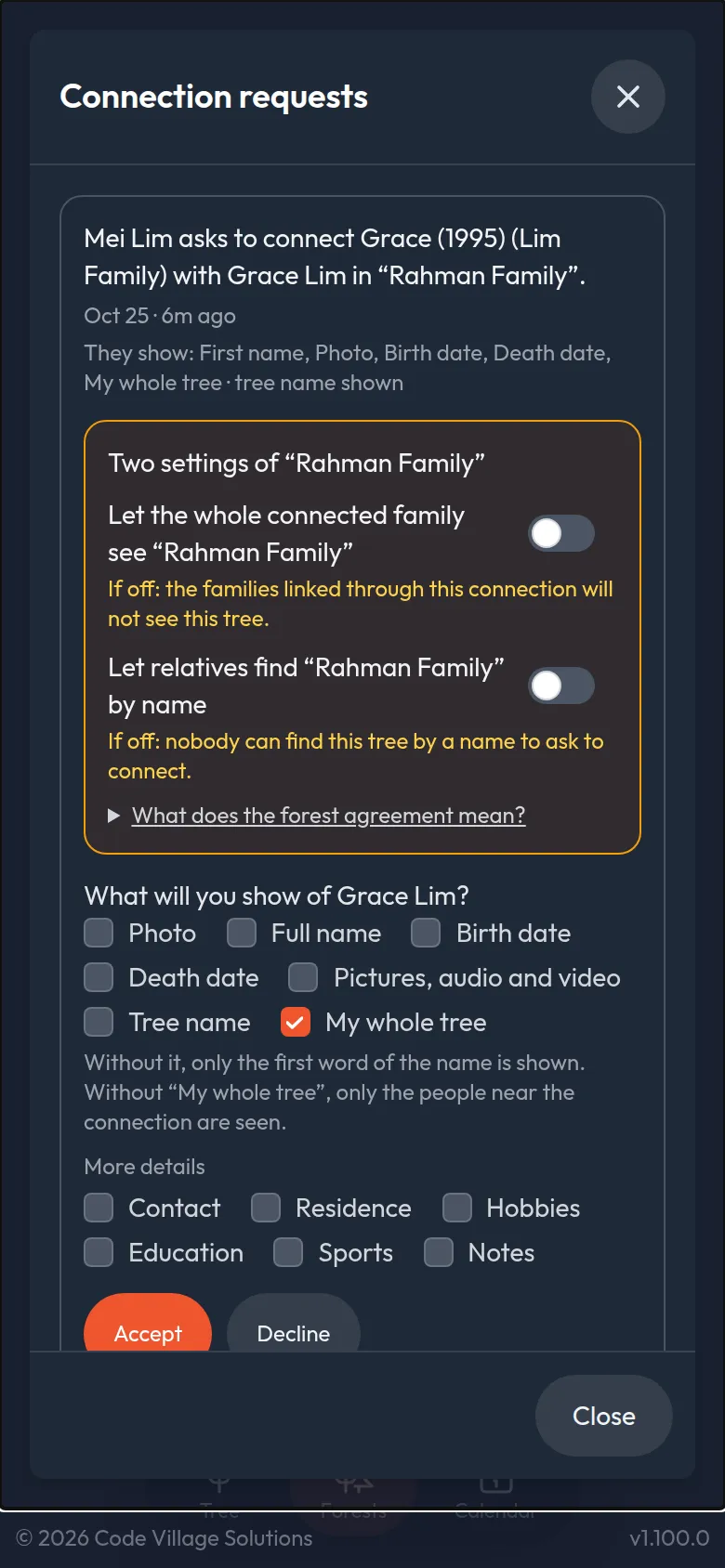
- Findable only if you allow it. Nobody can search for your trees by name unless you switch that on, tree by tree.
- Only one step beyond. A connected family sees only the people near the connection, or your whole tree if you allow it, with only what was shared, drawn with a dashed ring. Change it or disconnect any time.
- Nothing is lost when two people join. The details, pictures and recordings of both copies are put together, and a different spelling or date is shown beside the main one.
- Choose the portrait you see. If the same person has a photo in each tree, you pick which one stands for them in your view.
- One agreement for the whole forest. Owners can agree, tree by tree, that everyone in the forest may see their tree as far as they share it. Off until you switch it on.
- Pin your favourite forests. A star on each forest card keeps it at the top of your list, and the picture button opens its shared memories.
- Big families stay readable. Fold a branch away with a tap, hide a whole tree with its eye, and see only the first generations of a very big forest. Asal Ku remembers your choices, just for you.
- Notes for every person. Write a life story, a recipe or where a grave is, with bold text, lists and links, or dictate it by voice. Notes stay private to your tree unless you choose to share them with a connected family. You can fill in details and notes right when you add someone.
Know the moment something changes
No refreshing. When someone asks to connect, answers your request, or updates a tree you are connected to, Asal Ku tells you straight away and refreshes the forest on your screen.
- Requests wait for you as a number on the Forests button.
- Updates keep private things private. A tree's name is mentioned only if you can open that tree.
- See exactly what is connected for any person: the trees they are in, what each shows, and a button to disconnect.
Count your family, generation by generation
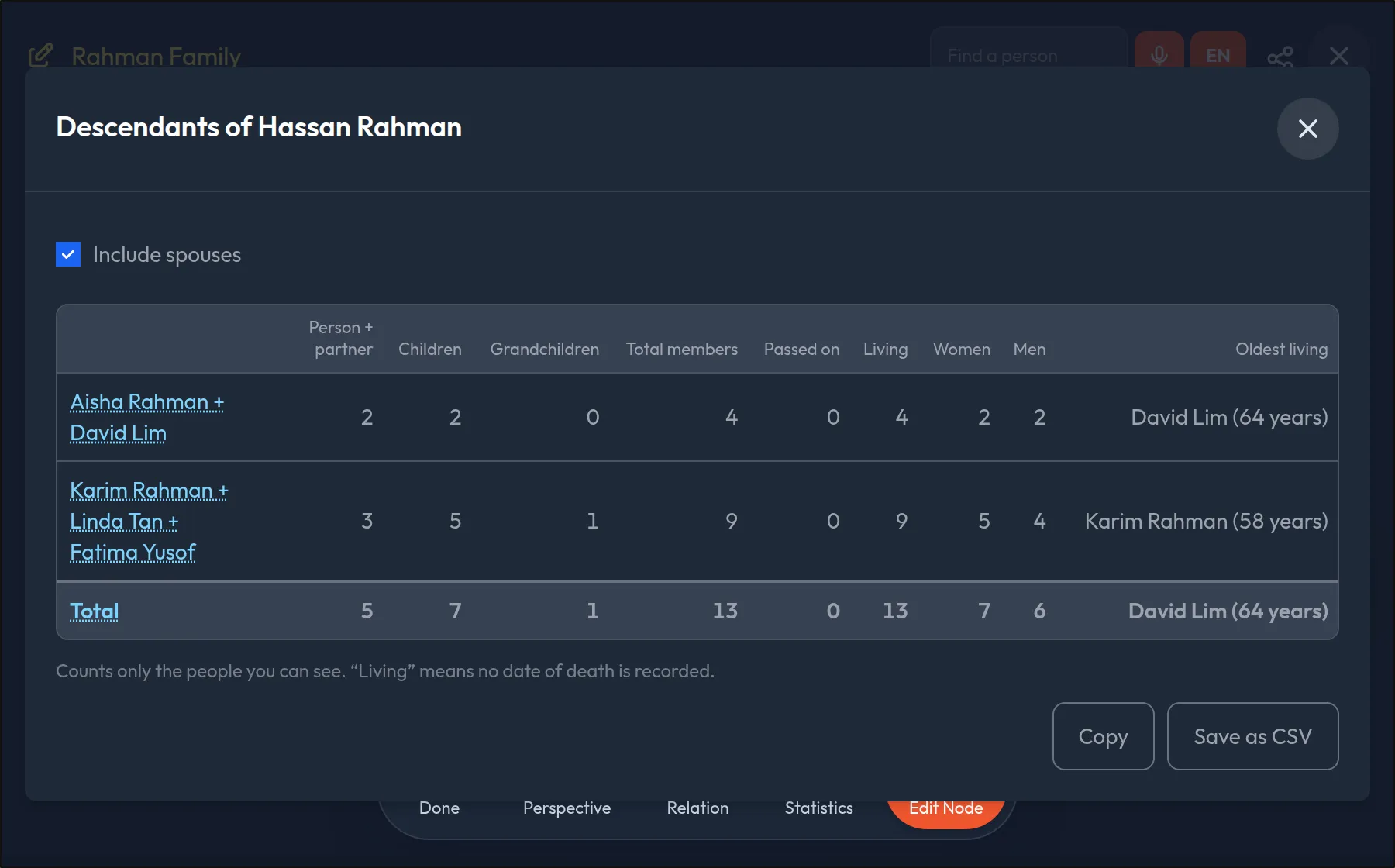
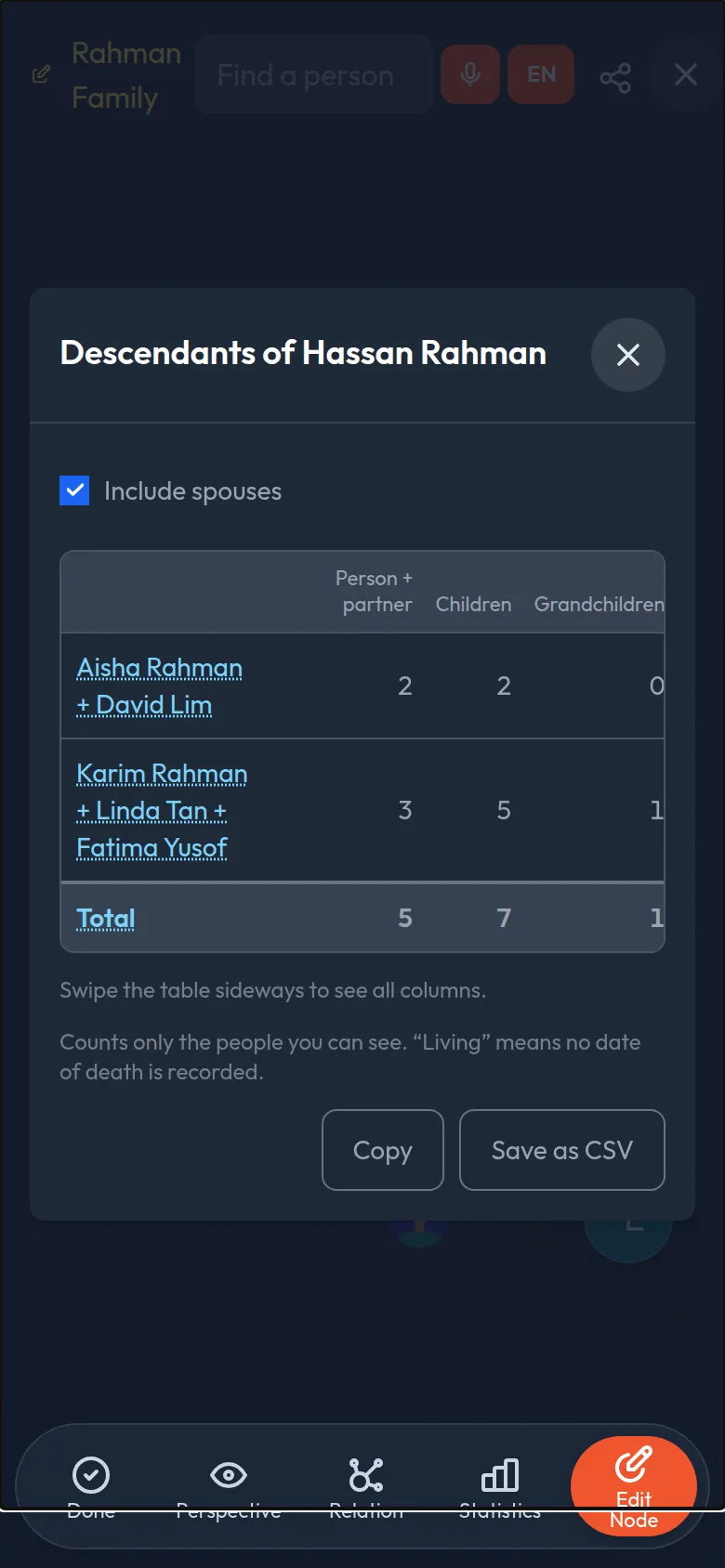
How many grandchildren? How many have passed on? Tap a person and Asal Ku counts everyone below them, in one table.
- One row for each child, with a column for their children, grandchildren and every generation below, and a total for each column.
- Spouses counted if you like. Include the people who married in, or count only the descendants by birth.
- See the branch in the tree. Tap a name and that branch stays in colour while the rest fades. Copy the table, or save it for a spreadsheet.
Pictures, voices and videos for every person
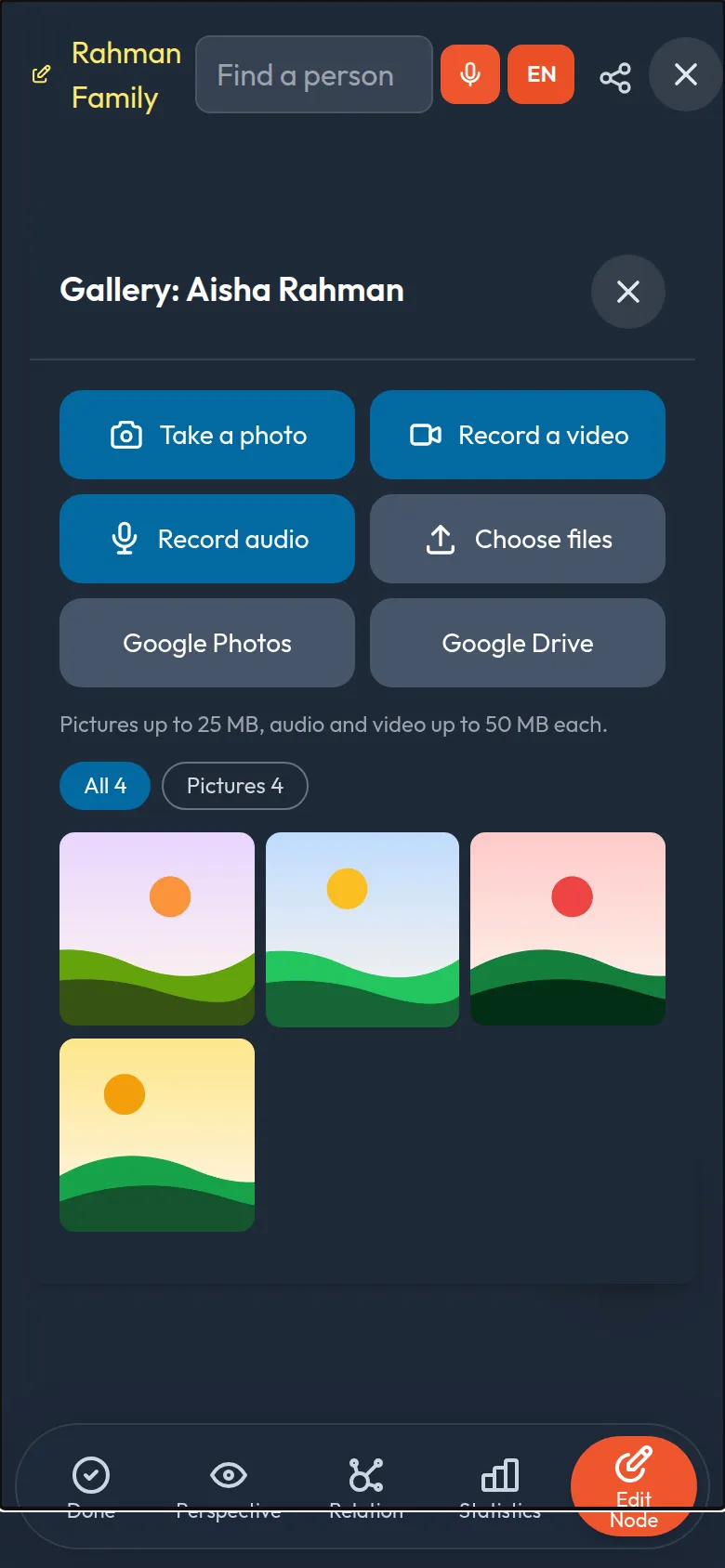
A family is more than names and dates. Give each person a gallery: the photo from the wedding, grandmother telling a story, the video from the village feast.
- Capture or choose. Take a photo or video with your phone's camera, record a voice with the microphone, or pick files from your phone or computer.
- Captions and dates so everyone knows who is who and when it was. Pictures get a small copy that opens fast, even on a weak signal.
- You decide who adds. Owners and managers add and remove. People you share a tree with for viewing can look and listen, never change.
- From Google too. Where your Asal Ku has it switched on, bring in pictures and videos from Google Photos or Google Drive. You choose them in Google's own window; only what you choose is copied.
All the memories of a tree on one page
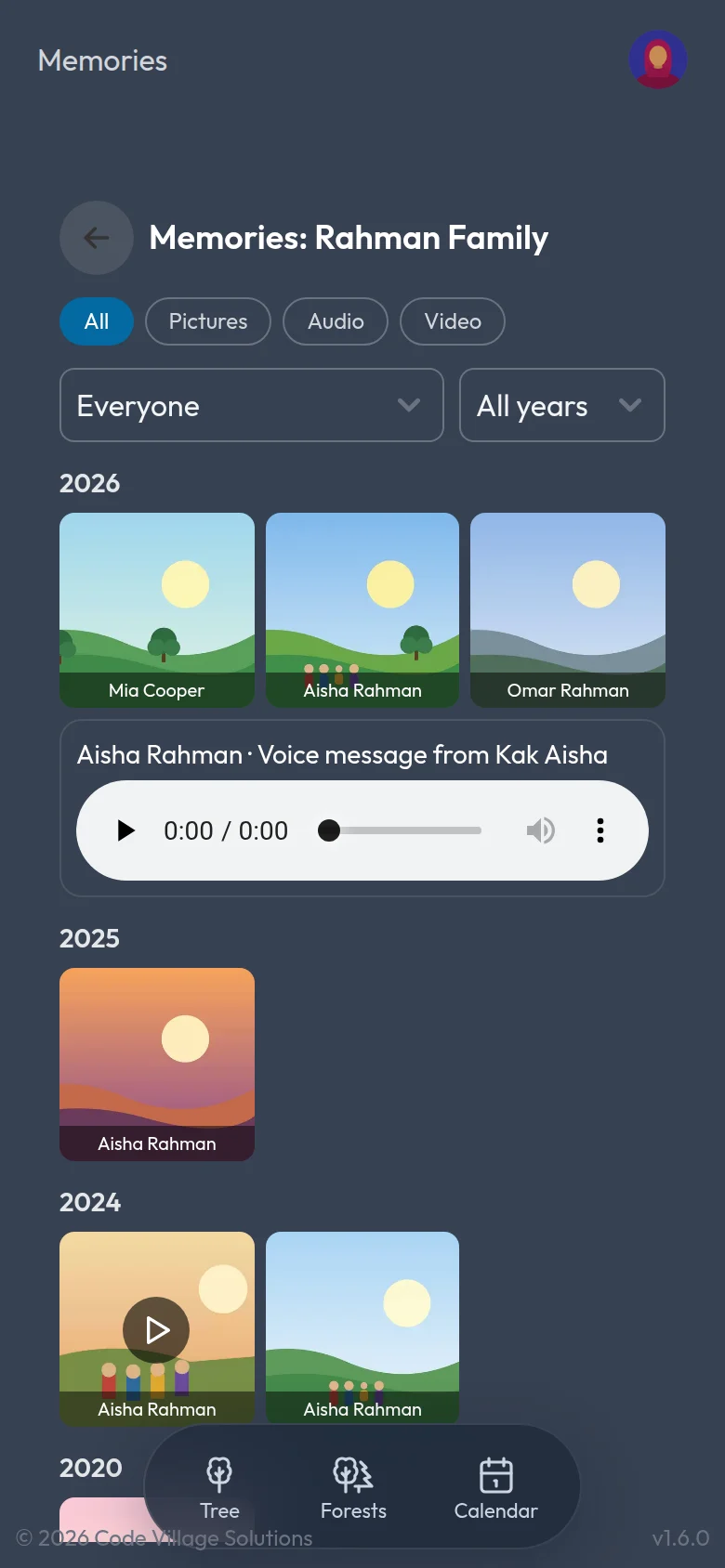
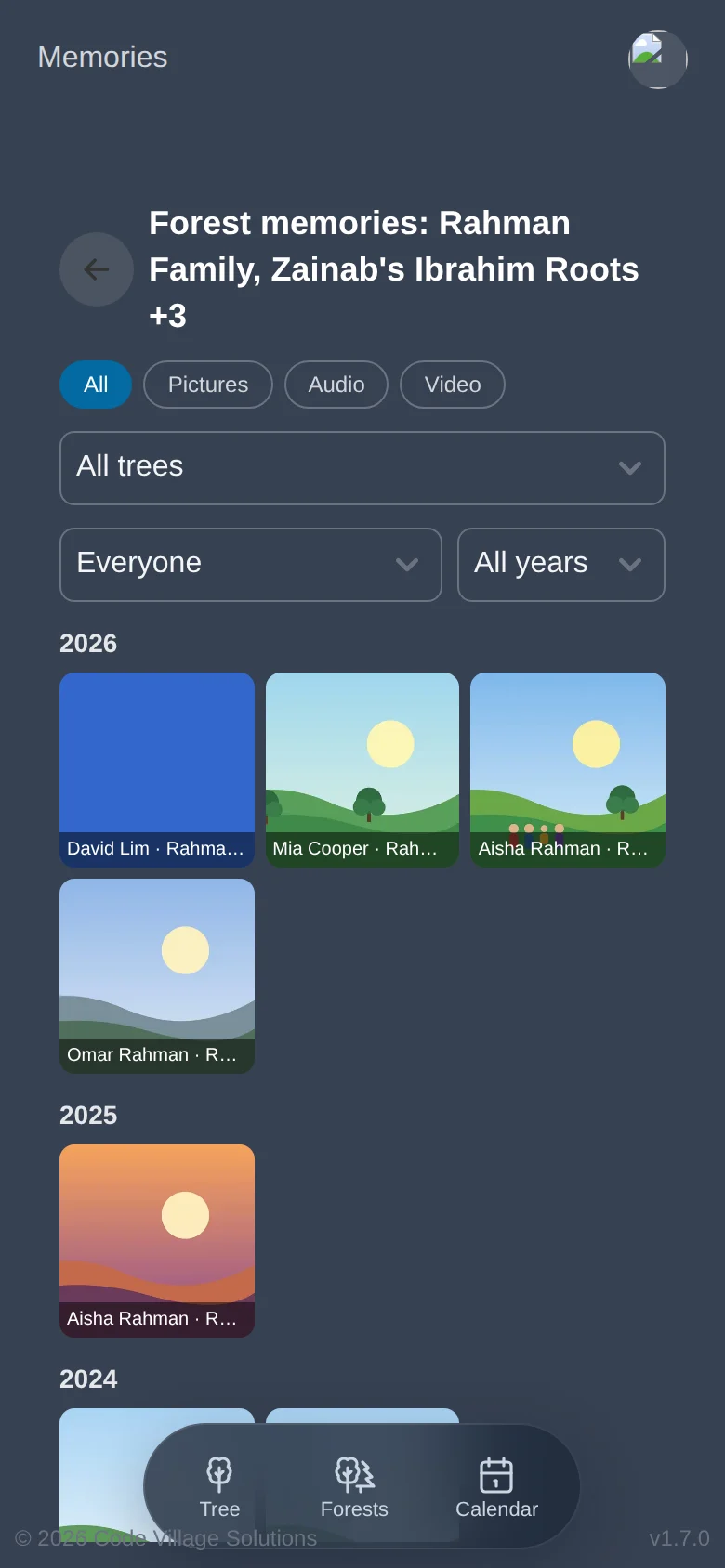
Open Memories on any tree to see every picture, recording and video of everyone in it, newest first and grouped by year.
- Find the one you want. Filter by pictures, audio or video, by person, or by year.
- Look through them together. Open one full size, flip through with previous and next, or start a slideshow.
- Jump to the person. One tap opens that person's gallery.
- Across connected trees. Open Memories on a forest to see the galleries of all its trees together, plus the pictures that linked relatives in other families chose to share.
Never miss a birthday or an anniversary
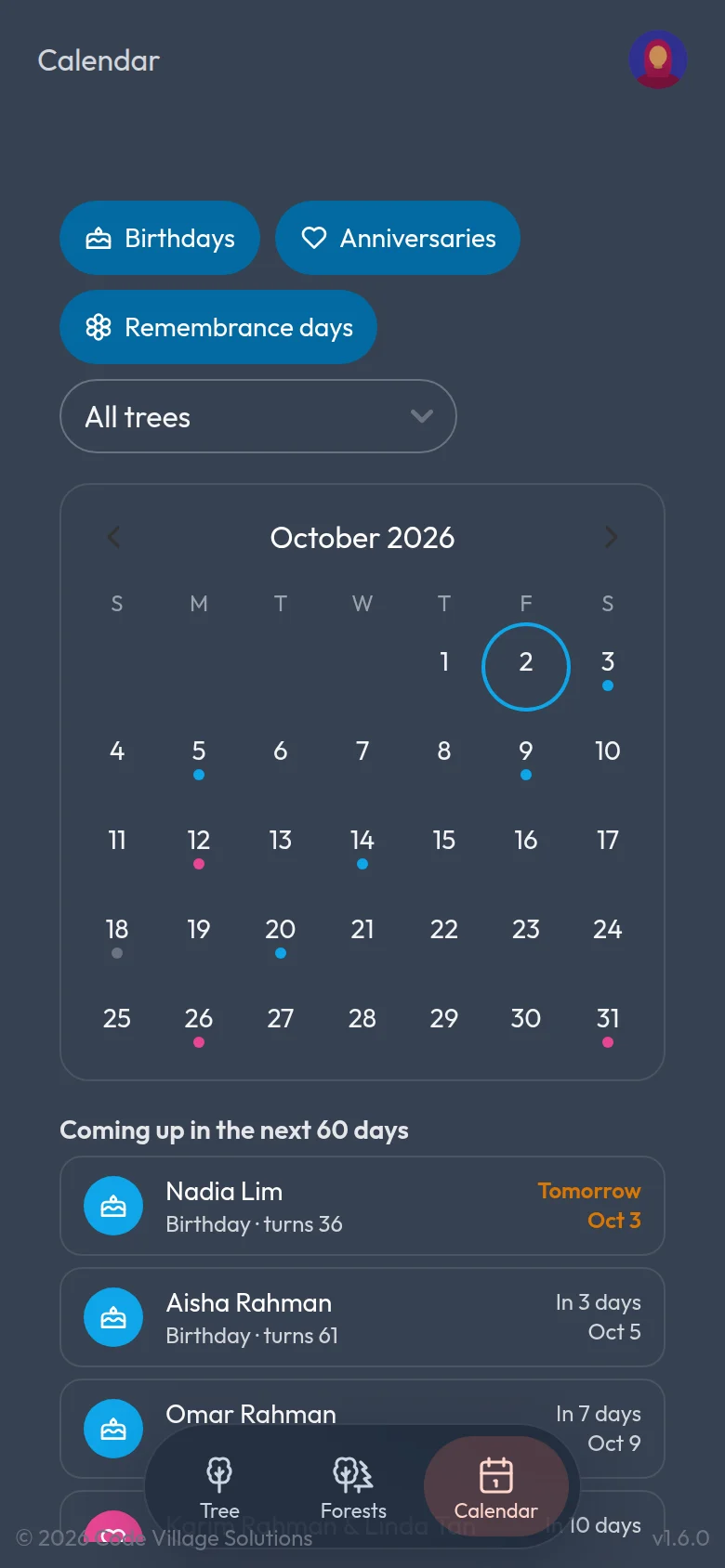
Asal Ku reads the dates already in your trees and puts them on a calendar: birthdays, wedding anniversaries and the days you remember loved ones who have passed.
- Choose what to show. Turn birthdays, anniversaries and remembrance days on or off, and look at one tree or all of them.
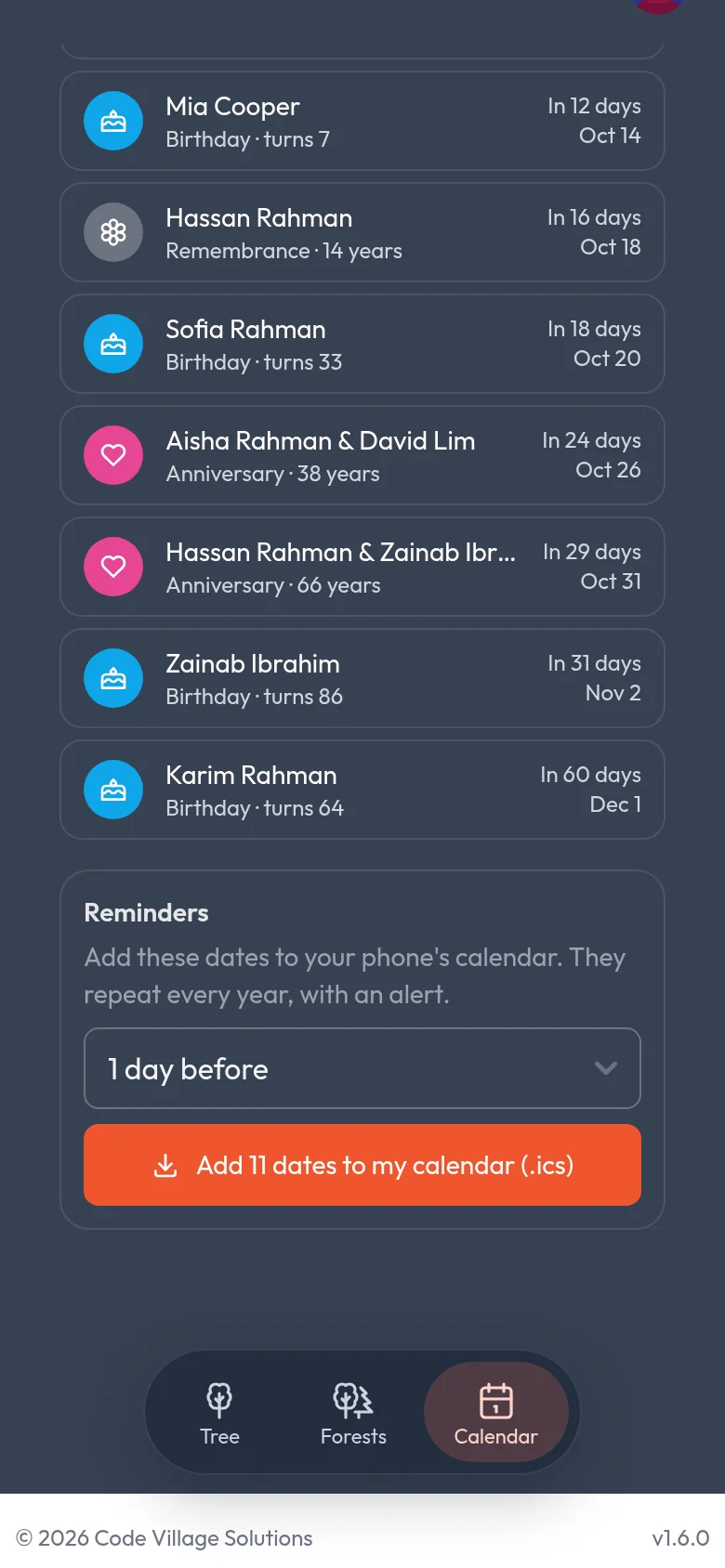
- See what is coming. A month at a glance, and a list of the next 60 days with how old they turn or how many years it has been.
- Reminders on your phone. Add the dates to your phone's own calendar. They repeat every year, with an alert on the day or up to a week before.
Know what your memories take up
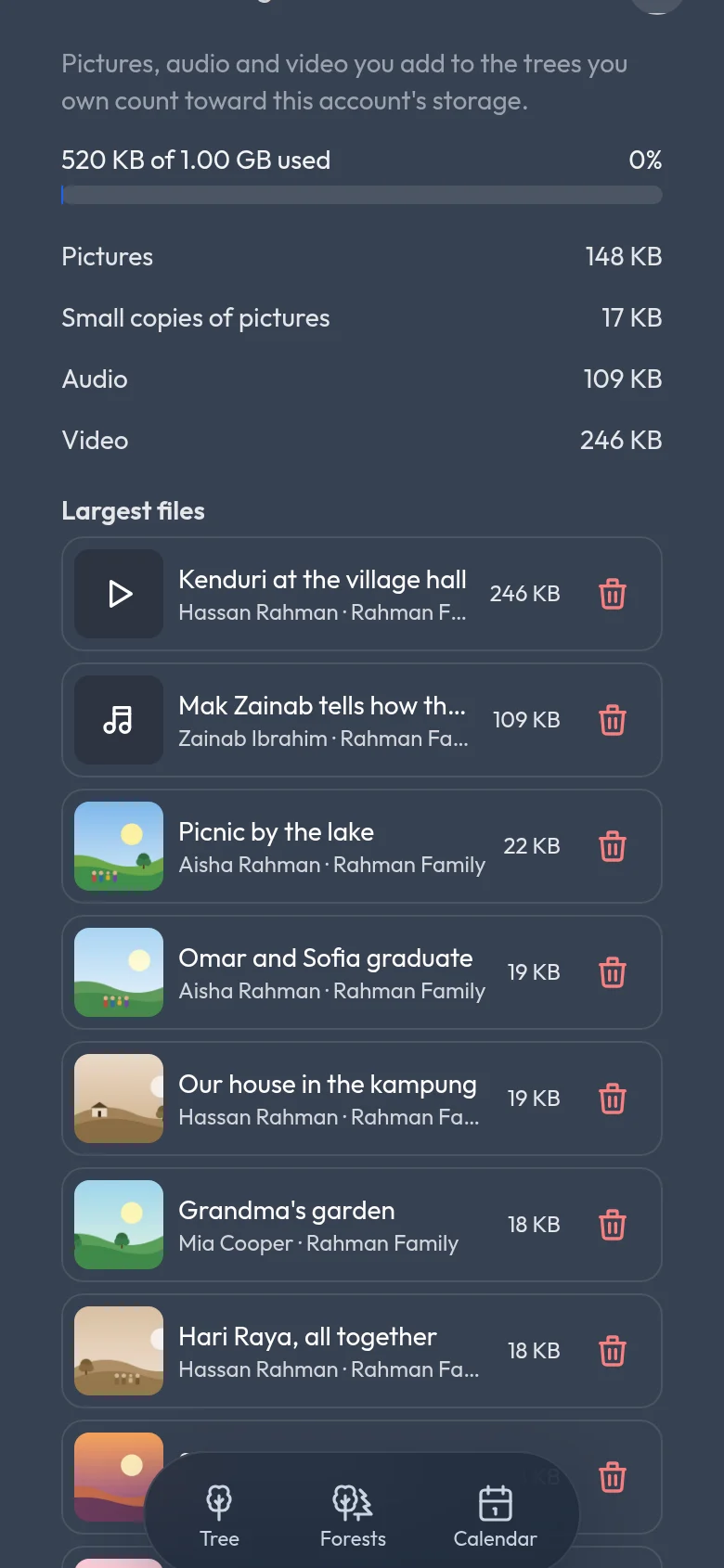
Every account has 1 GB for pictures, audio and video. Asal Ku shows how much you have used and what is using it, so nothing comes as a surprise.
- A clear meter with pictures, audio and video counted separately.
- Your largest files listed with the person and tree they belong to, and a delete button when you need room.
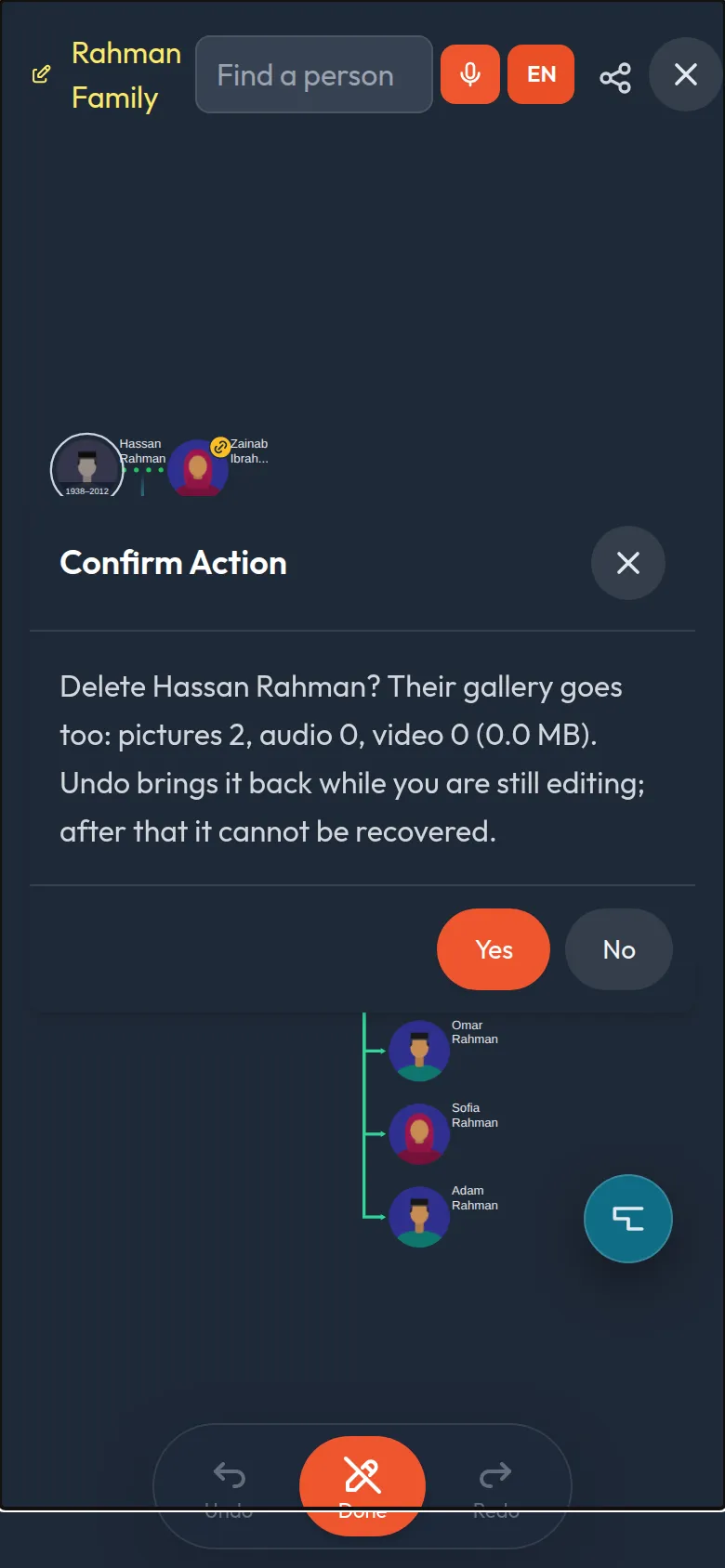
- No accidents. Before a person with a gallery is deleted, you are told exactly how many pictures, recordings and videos go with them. Undo brings them back while you are still editing.
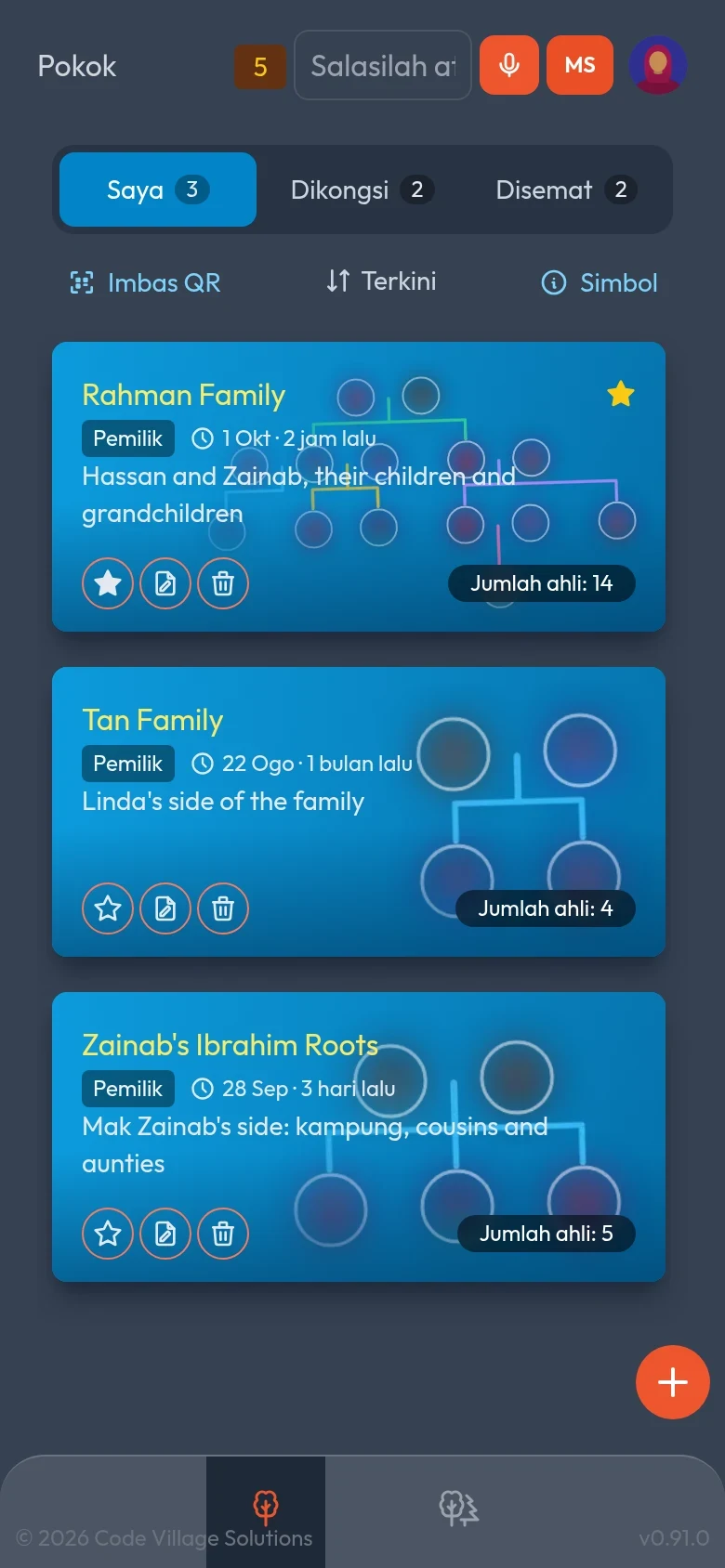
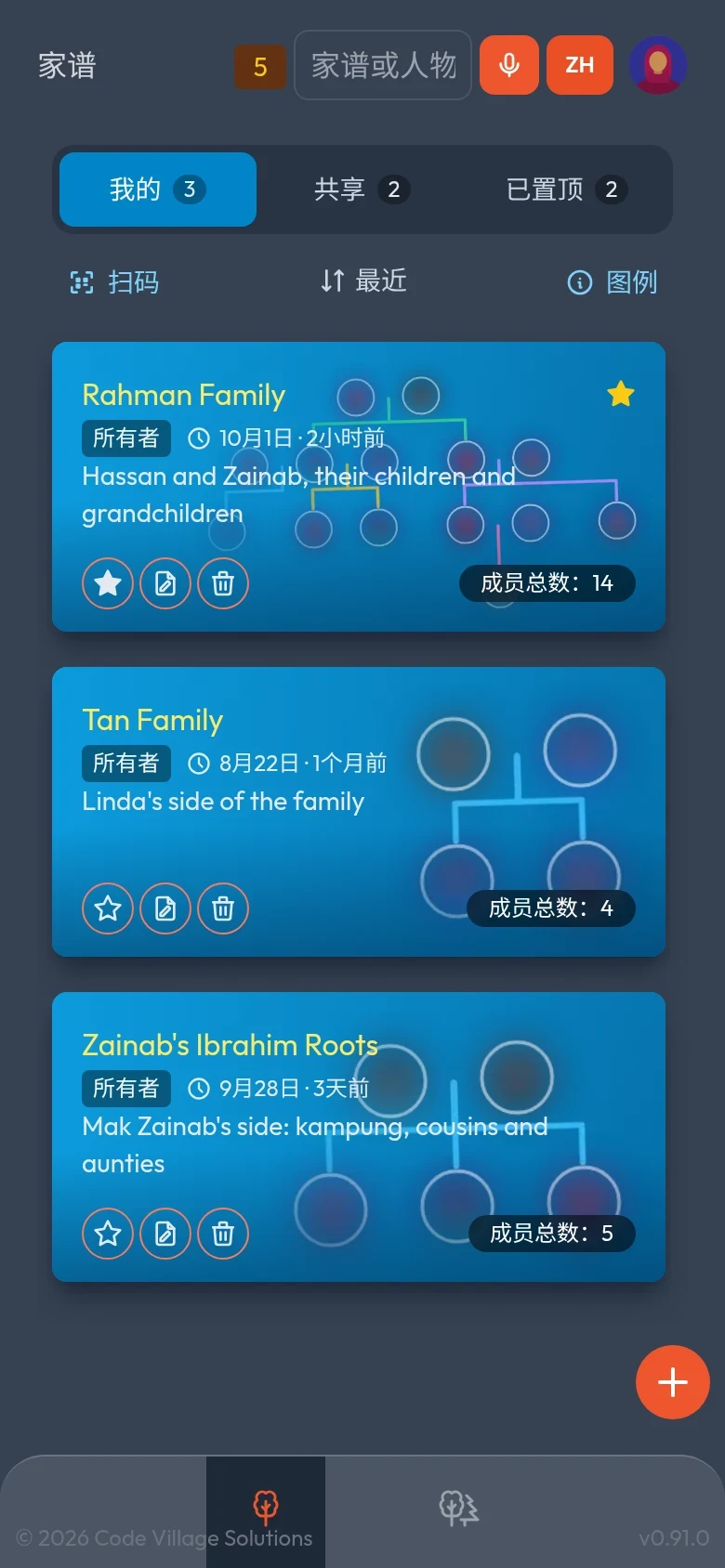
Speaks the way your family does
The whole app, from menus to messages, in eight languages. Switch any time; voice input follows your choice.
On a computer, a whole forest has room to breathe.
Everything in the box
Made for real families, where people marry more than once, adopt, foster and share a surname with distant cousins.
A tree that lays itself out
Add people and the tree arranges couples, children and siblings for you. Change perspective to centre it on anyone.
Marriages, done properly
Record marriage dates and status. Several spouses, divorces and remarriages are all shown clearly.
Birth, foster, adopted, step
Every parent link says how the child belongs. Foster, adopted and step children are drawn with their own line style.
Photos and portraits
Upload a photo or pick an avatar. Tap a portrait to view the original. Loved ones who have passed are shown with dignity.
Search that forgives spelling
Find anyone by name, nickname, birth year or even how the name sounds, in one tree or across all of yours.
Undo anything
Made a mistake? Undo and redo any change, even after signing out and back in.
Speak instead of typing
A microphone in every text box, with a language button beside it. Dictate names, descriptions and notes.
Fingerprint or face sign-in
After the first sign-in, open Asal Ku with your fingerprint or face. No passwords to remember.
Share with a QR code
Show a code and a relative's camera opens the tree. Choose view-only or let them help edit.
Works with a weak signal
Trees you have opened stay viewable on your phone, even on a village connection or on a plane.
Pin, sort and tidy
Mine, Shared and Pinned tabs. Favourites on top, then the most recently opened. Search counts per tab.
Eight languages
English, Malay, Northern Malay, Chinese, Tamil, Thai, Indonesian and Tagalog, from menus to messages.
Know what changed
New and updated badges show which trees a relative has changed since you last opened them.
Install on your phone
Nothing to download from a store. Add Asal Ku to your home screen and it opens like any app.
Forests of connected trees
Connect the same person across trees. Every connected tree is listed under Forests, and the whole forest opens on one screen.
Share only what you choose
Per connection: photo, names, dates, gallery, contact, residence and more, the tree name, and whether your whole tree is visible. Other families see only what you ticked.
Live updates
Requests, answers and changes in connected trees reach you instantly, without refreshing.
A gallery for every person
Pictures, voice recordings and videos with captions and dates. Take them with your phone or choose files from your device.
Birthdays and anniversaries
A calendar built from your trees, with remembrance days too. Add the dates to your phone with an alert before each one.
Memories and storage you can see
All of a tree's pictures, audio and video on one page, and a clear view of your 1 GB: what is used and the largest files.
Found only if you allow it
Switch on, tree by tree, whether others can search for your trees by name to ask for a connection. Off by default.
How it works
Nothing to install. It runs in your browser and can be added to your phone's home screen.
Sign in
Use your Google account, then your fingerprint or face next time. Your trees are private to you from the start.
Add your family
Start with yourself, then add parents, spouses and children one by one, or link people who already exist.
Share with relatives
Show a QR code or send a link so family can view the tree, or invite people you trust to help you build it. Or connect your tree to theirs and see the whole forest.
Your family, your say
Family history is personal. Asal Ku is being built so you decide who sees it.
- Private by default. Only people you share a tree with can open it.
- View-only or can edit. You choose the access each relative gets, and can take a tree off your list any time.
- Your data stays yours. Change or remove your people and photos whenever you like.
Where do your roots begin?
We are opening soon. Register your interest and be among the first to plant a branch.